
Pinnacle Video Capture pour Mac [Test]
13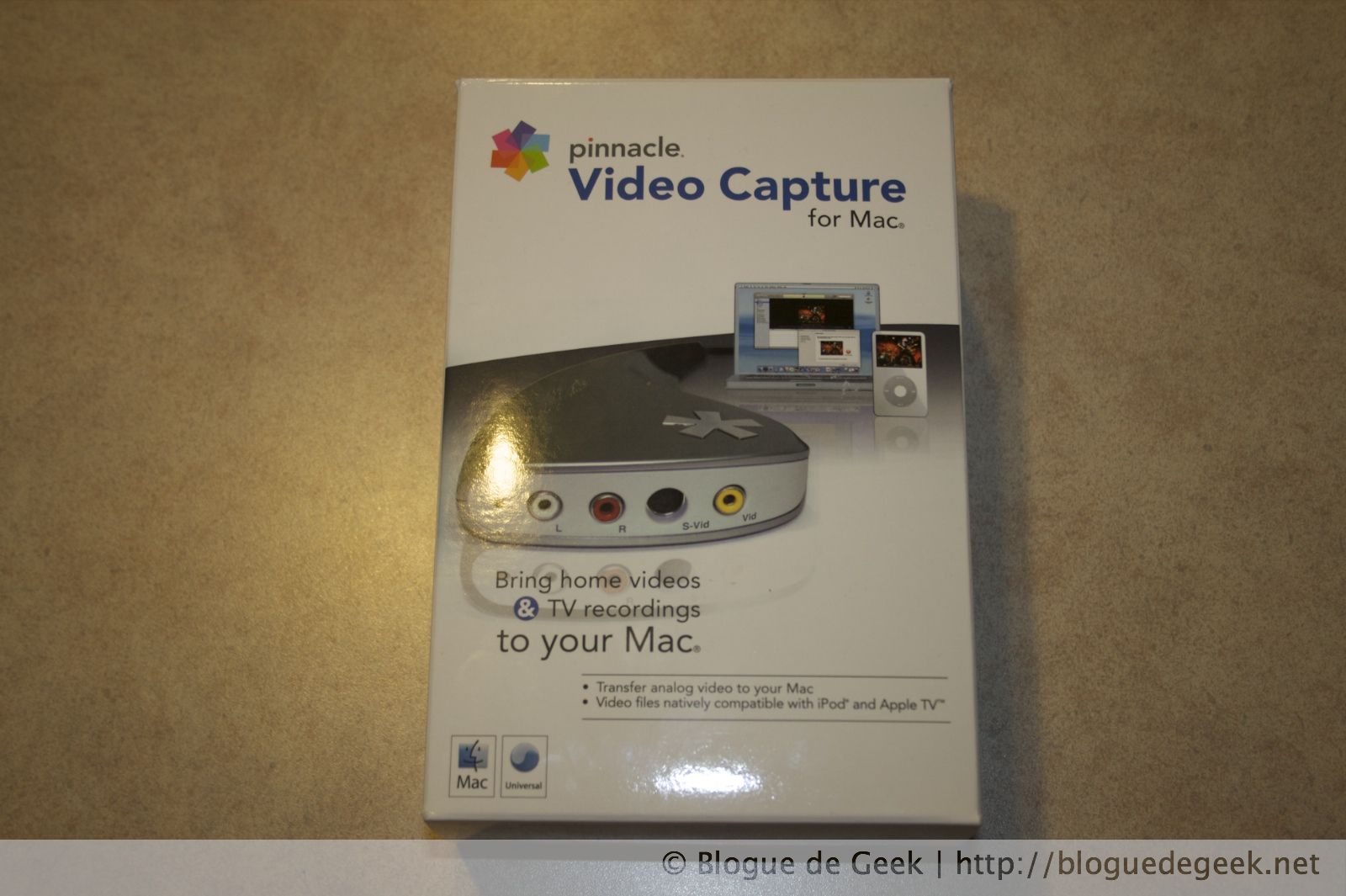 Cela fait plusieurs années que le Dazzle existe et permet à beaucoup de nostalgiques de numériser leurs souvenirs analogique en les transférant sur l’ordinateur pour ensuite les archiver sur un DVD, et maintenant un Blu-Ray. Mais les Mac sont mis de côté et laissé sans aucune alternative peu dispendieuse. C’est fini! Pinnacle a sorti son Video Capture pour Mac!! Un Dazzle blanc et un logiciel qui permet de numériser vos fichiers vidéo en MP4 en seulement 4 cliques!
Design
Le Dazzle lui-même est d’apparence identique à la version PC à part le fait qu’il soit blanc. C’est à l’intérieur qu’il a un petit plus que la version PC. Comme les Mac sont beaucoup plus simples d’utilisation que les PC sous Windows, le Dazzle vous permet de capturer directement en format MP4 prêt pour votre iPod ou votre Zune. Le Dazzle permet de capturer d’une source RCA (audio et vidéo) ou S-Video (vidéo seulement, l’audio vient des ports RCA).
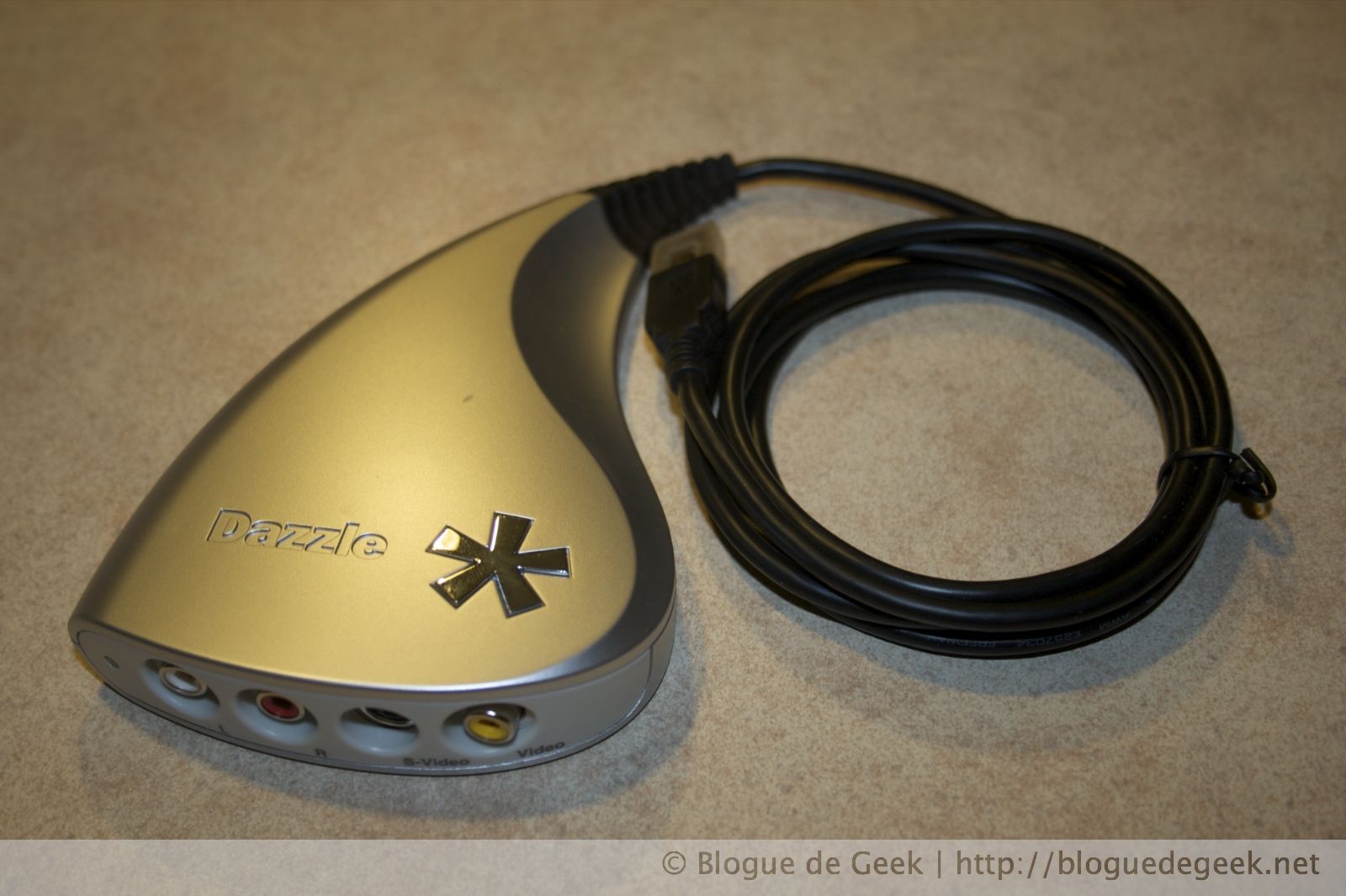
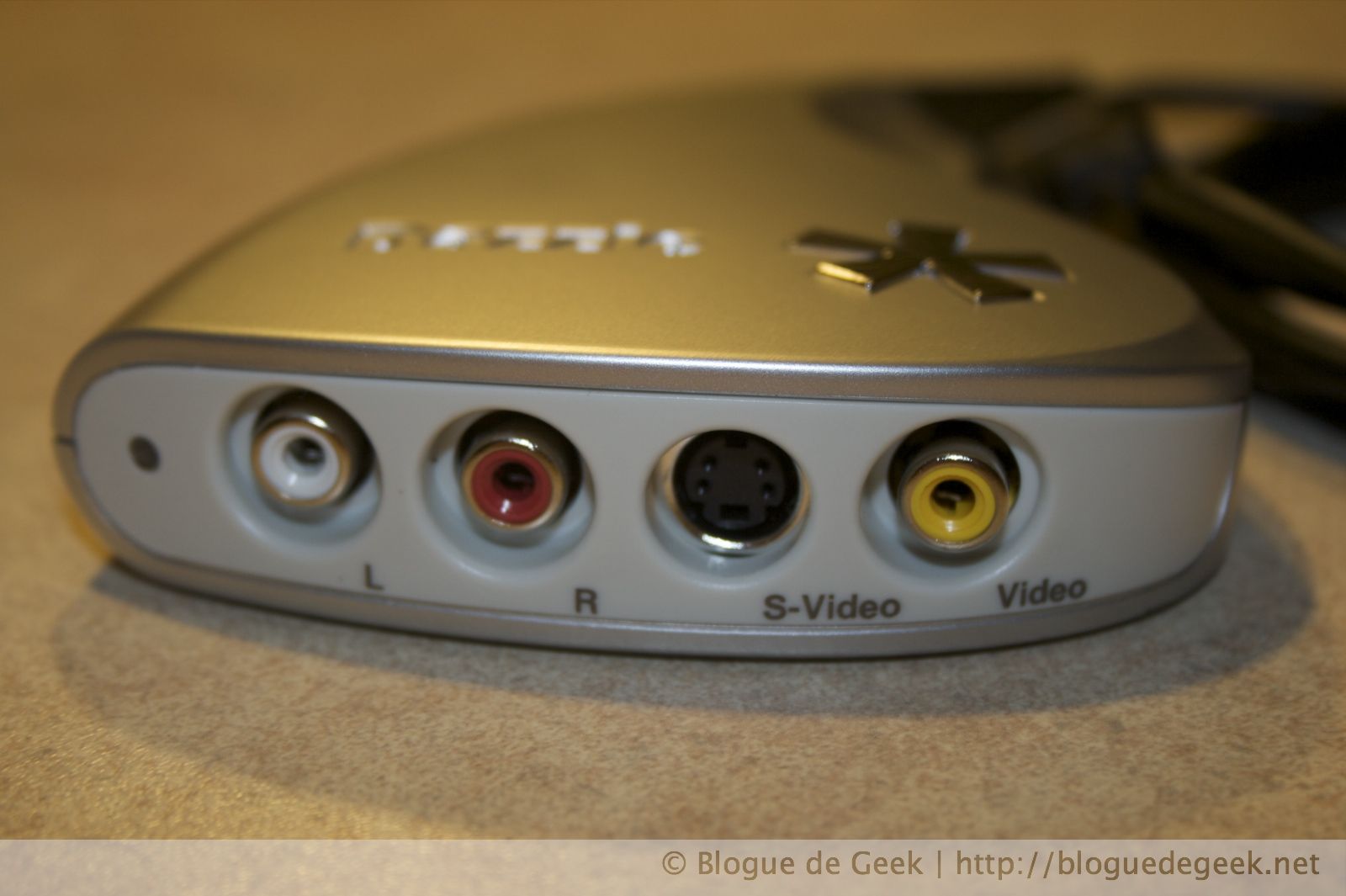
De plus, une fois que votre vidéo est acquis, le logiciel l’importe automatiquement dans iTunes. On ne pourrait demander mieux vous dites? Continuez à lire.
Caractéristiques
- Connexion USB (1.1 ou 2.0)
- Compression MP4 matérielle
- Logiciel Pinnacle Video Capture pour Mac inclu
Performances
C’est ici que ça se gatte tout dépendant de votre niveau d’expertise et de votre source vidéo. J’ai fait deux tests, un a partir de la télévision classique par câble qui présente un poste en HD ramener en SD, soit Radio-Canada pour ceux qui connaissent. Comme vous pouvez le voir sur le premier vidéo, l’image est tout même claire et nous ne voyons pas beaucoup d’artéfacts de compression.
Pour le second vidéo, j’ai utilisé un vieux caméscope Sanyo utilisant des cassettes 8mm. Le caméscope fait lui-même la lecture de la cassette et j’utilise ses sorties RCA audio (mono)/vidéo pour capturer.
L’utilisation est super simple, branché, lancé le programme, 3 écrans d’un guide à traverser et attendre! Le vidéo se retrouve même dans iTunes! Pratique pour ceux qui veulent d’une solution sans histoires et sans paramètre obscure. Mais pour le « power-user » comme moi, c’est décevant. Je vous explique.
Dans mon cas, je voudrais capturer de vieux vidéos de famille sous casette 8mm et j’aimerais bien restaurer un peu la qualité d’image. Sauf que le Video Capture pour Mac de Pinnacle compresse le fichier vidéo dans un format qui occasionne une perte de qualité. Résultat, ma capture ne serait pas équivalente à une autre faite sous Windows avec le Dazzle! Bien pour les mononcles, mais très mauvais pour les Geeks!
Il faudrait avoir la possibilité de sauvegarder le vidéo dans un format non-compressé (un peu comme les vidéos DV) pour pouvoir les restaurer et les bruler sur DVD sans perte de qualité. J’ai donc, discuter avec les membres sous le forum de Pinnacle et pour l’instant ce ne semble pas être dans leurs plans…
Première utilisation… problèmes!
Dès que j’ai reçu mon Video Capture pour Mac, je me suis empressé d’installer le logiciel et de tenter de faire ma première capture. Et ça ne marchait pas!!! J’avais l’image, mais je n’avais pas le son. J’ai bidouillé avec les options de Sons des préférences système sans succès. Je suis donc, aller voir s’il y avait une mise-à-jour sur le site de Pinnacle. Il y en avait un et elle réglait des problème sous Leopard, mais comme je suis encore sous Tiger, je me suis dit que j’en avais pas besoin… J’ai donc, cherché avec mon ami Google et j’ai finalement trouvé la raison! Même si je ne suis pas sous Leopard, il faut mettre à jour le logiciel!!!
Une fois à jour tout fonctionne à la perfection. Morale de cette histoire? Faites vos mise-à-jour même si vous ne voyez pas de raison de le faire!
Points positifs et négatifs
Points positifs
- Simplicité d’utilisation
- Solidité
- Portabilité du vidéo en compression MP4
Points négatifs
- Impossible de capturer dans un format non-compressé!
- Version du logiciel incluse ne fonctionne pas, vous devez la mettre à jour
Conclusion
Comme à l’habitude Pinnacle nous offre un produit de qualité qui réussi avec brio une capture audio/video de vos sources analogiques. Pour quelqu’un qui cherche la simplicité le Video Capture for Mac est la solution idéale! Le Dazzle reste encore et toujours un joueur solide et performant dans la capture vidéo. Mais pour celui qui cherche une flexibilité dans le processus et des options avancées, il vous faut passer votre chemin pour l’instant. La capture est automatiquement compressée en MP4 sans que vous ayez accès aux paramètres de compression.
Video Capture for Mac
Note de l’évaluation: 85
Recommandé: Oui
Liens
Pinnacle Video Captur for Mac
![Speck SeeThru pour iPhone 4 [Test]](https://bloguedegeek.b-cdn.net/wp-content/themes/bloguedegeek-v3/img/placeholder.png)


